Retrieving an Existing Valuation
There are times you may need to contact CCC® to:
- Modify a submitted Valuation Request
- Handle a valuation request manually
- Retrieve a Valuation ID # for request submitted via the CCC Portal
In the instances listed above, a separate Valuation Request and Valuation ID is created. In the EXISTING VALUATION section, enter the Valuation ID from the request to retrieve the Valuation Report Data, including the Market Valuation Summary Report and Market Valuation report, into the Workfile.
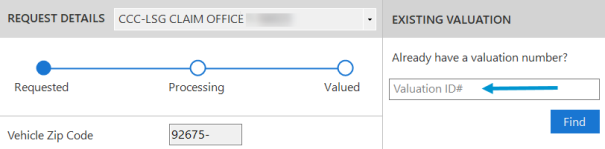
To retrieve an existing Valuation
- Open the workfile, and then select the Total Loss tab.
- Enter the valuation request number in the Valuation ID # field.
- Click Find. If a valid Valuation ID is found, the valuation information, including the Market Valuation Summary Report and Market Valuation Report will replace any existing valuation request information in the Total Loss tab. The Valuation ID # is saved to the workfile and used going forward.
